If your coach has ever said “watch your contact point” and you still cannot feel what changed, video can make the lesson click. This OnForm review looks at whether the app is actually useful for beginner padel drills, not just polished coaching clips.
Filming junior players, club sessions or people outside your own group involves privacy and safeguarding compliance; consent, storage and sharing should be handled by the club coach or session organiser in line with UK data protection rules and the venue’s safeguarding policy.
The short answer
OnForm can be genuinely useful for reviewing padel drill technique, provided you use it with a clear purpose. It is at its best when you record short, repeatable clips, slow them down, mark simple reference points and compare attempts over time. It is less useful if you simply film an entire match and hope the app will tell you what to fix.
For a beginner or early-stage club player, the main value is not fancy analysis. It is seeing the obvious things you miss while playing: your feet stopping before contact, the racket face opening too much, your recovery position drifting, or your preparation being late after the ball hits the glass.
It will not replace a coach. It can, however, make coaching advice easier to understand. If you already use online learning alongside club sessions, video feedback can sit neatly beside structured resources such as Hello Padel Academy for beginner coaching, because it helps you connect a lesson idea to your own movement on court.
What OnForm is useful for in padel
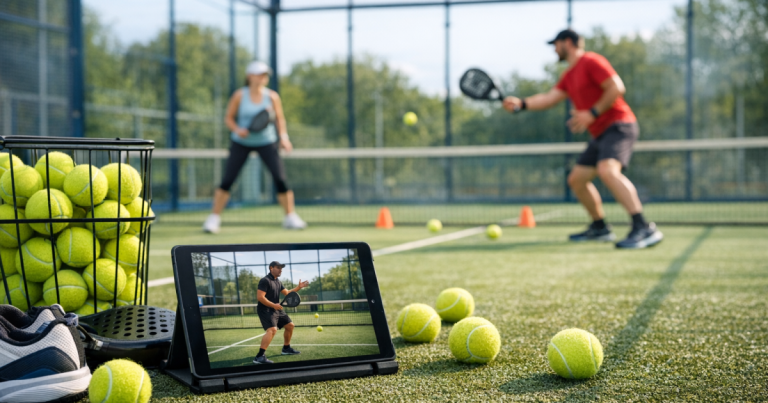
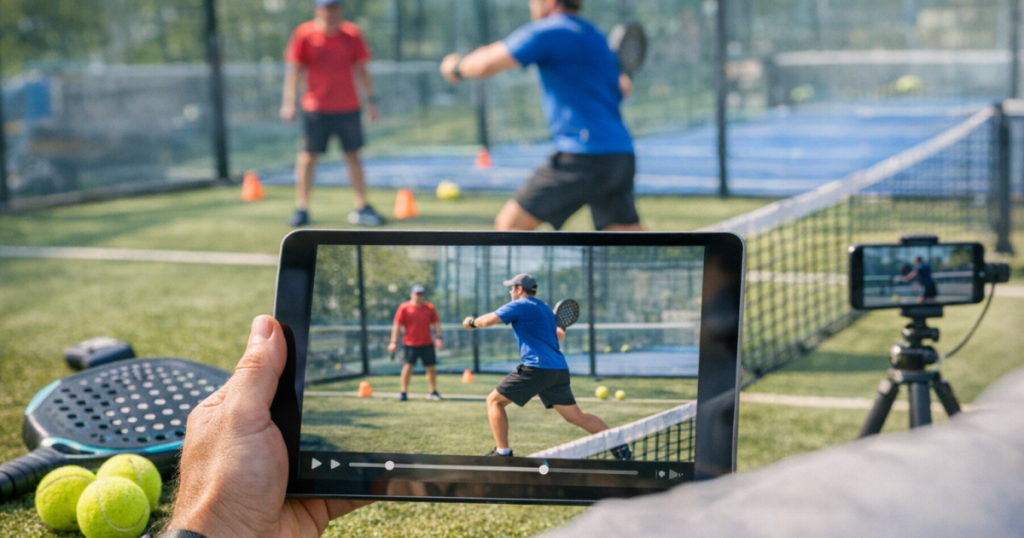
OnForm is a video analysis app aimed at coaches and athletes. For padel, the practical use is straightforward: record a drill, replay it slowly, annotate what matters, and build a better picture of what is happening in your stroke, footwork or court position.
That sounds simple, but it matters in padel because many beginner mistakes happen before the ball is struck. The ball comes off the glass, your body turns late, you rush the swing, and by the time the shot fails it feels like “bad technique”. Video often shows the earlier problem: poor spacing, no split step, or a backswing that starts after the ball has already arrived.
The most useful padel scenarios are:
- Serve practice: checking contact height, bounce rhythm, racket path and follow-through during controlled repetitions.
- Volley drills: watching whether your feet and shoulders move forward together rather than swinging mainly with the arm.
- Glass defence: seeing whether you turn early and allow space for the rebound, instead of crowding the ball.
- Lob drills: checking body balance and recovery after the shot, not just whether the lob clears the opponents.
- Transition drills: reviewing how quickly you move back to a useful ready position after playing from the back of the court.
If your main issue is understanding the rules, an app will not solve that by itself. For example, if you are filming serves, it is worth checking the basics of how to serve legally in your first padel game before judging technique from the video.
Where it helps beginners most
It makes coaching cues visible
Beginners often hear cues like “prepare earlier”, “keep it compact” or “recover quicker”. These are useful, but they can feel vague during a rally. Video turns them into something you can see. If your racket is still low while the ball is already near your body, “prepare earlier” becomes obvious. If you finish a volley and stand still, “recover quicker” is no longer abstract.
It slows down fast, messy moments
Padel feels faster than it looks from outside the court. The glass, short reactions at the net and quick changes of direction can make mistakes feel random. Slow replay helps you separate the cause from the result. A missed bandeja, for example, may come from poor body position rather than the swing itself.
It encourages focused practice
The danger with any video tool is recording too much. OnForm is most useful when you choose one drill and one question. Ask “am I turning before the ball reaches the glass?” or “am I stepping into the volley?” rather than “how is my padel?”. Smaller questions lead to clearer answers.
A simple way to use it for drill review
For beginner padel, the easiest workflow is to keep each recording short. Film 30 to 60 seconds of one drill, review it immediately or after the session, and note one adjustment for next time.
- Pick one technical theme: footwork, preparation, contact point, recovery or decision-making.
- Use a stable camera angle: place the phone safely outside the playing area or with a secure stand where it will not distract players.
- Record a repeatable drill: the same feed, same target and same intention for several attempts.
- Review only the useful moments: choose two or three clips rather than watching everything back.
- Write one action point: for example, “split step before the opponent hits” or “turn shoulders earlier on the back glass”.
Before filming any proper drill session, warm up sensibly. If you are building a short pre-court routine, the notes on using resistance bands for padel warm-up drills are a useful companion to technique review, because cold or rushed movement can make your video look worse than your normal game.
What to check before relying on it
OnForm is useful, but it is still only a tool. Before making it part of your padel routine, check the current app listing and support information for device compatibility, available analysis tools, sharing options, storage limits and any plan restrictions. These details can change, so do not assume every feature you see in an old review or coaching video will match your setup.
For padel specifically, the biggest checks are practical rather than technical:
- Can you position your phone safely? UK indoor courts can be busy, with limited space beside or behind the glass. Do not put a phone where players might step on it or collide with a stand.
- Will the angle show the actual problem? A rear angle is useful for positioning and serve rhythm. A side angle is often better for contact point and racket preparation.
- Can you review clips without disrupting the session? If you are sharing a court, save detailed review for after play unless everyone has agreed to use the drill time that way.
- Are you filming the right standard of drill? Video analysis works best when the feed is consistent enough to judge movement fairly.
- Do you have a clear reference? A coach’s cue, a lesson plan or a known technical aim helps prevent over-analysing every small movement.
Pros and limitations for padel players
What works well
- Good for visual learners: many beginners improve faster once they see what their body is actually doing.
- Helpful for short technical drills: serves, volleys, lobs, glass turns and recovery patterns are all suitable for video review.
- Useful between coaching sessions: you can check whether you are repeating the same habit before your next lesson.
- Encourages objective progress tracking: comparing clips from different sessions can show small improvements you might not feel during play.
Where it falls short
- It does not diagnose everything: the app can help you see movement, but it will not automatically know the right technical fix for your level.
- Bad camera placement can mislead you: an angle that hides your feet or contact point may make the review almost useless.
- It can tempt you to overthink: beginners do not need to perfect every frame. One clear improvement per session is plenty.
- It relies on good habits around consent: filming in a club environment needs courtesy, clarity and respect for other players.
Who will get the most value from OnForm?
OnForm makes most sense for players who are already practising with intention. If you do a weekly group session, a private lesson now and again, or structured drills with friends, it can help you make those sessions more productive. It is especially useful if you keep hearing the same coaching correction but struggle to feel it in real time.
It is probably unnecessary if you are still playing only occasional social games and have not yet built a basic understanding of positioning, scoring and common faults. At that stage, court time and simple coaching cues matter more than detailed video review.
There is also a personality fit. If you enjoy seeing progress, comparing attempts and working on one detail at a time, you are likely to use it well. If watching yourself play makes you tense or self-critical, keep video review short and practical. The aim is improvement, not embarrassment.
Good alternatives and simpler options
You do not need a specialist app to start learning from video. A normal phone camera can be enough for basic review, especially if you only want to check whether you are turning, moving or recovering at the right time. Many beginners should start there before adding more detailed tools.
A coach watching you live is still the strongest option for immediate correction. Padel technique depends on timing, ball speed, court position and decision-making, which are easier to read in person. OnForm is best viewed as a way to support that feedback, not compete with it.
Another simple option is a shared clip with a clear question: “Am I too close to the glass here?” or “Is my contact point too far behind me?” That kind of targeted question is more useful than sending a long rally and asking for general thoughts.
Verdict: useful, but only with a narrow focus
OnForm is a strong fit for reviewing padel drill technique when you treat it as a focused learning tool. It can make footwork, preparation, contact point and recovery much easier to understand, especially for beginners who find spoken coaching cues hard to translate into movement.
The best results come from short clips, simple questions and one action point at a time. Use it to support lessons, tidy up repeated drills and notice patterns you miss while playing. Do not expect it to replace coaching judgement or turn a full match video into instant answers.
For early-stage players who are starting to take practice seriously, OnForm is useful. For complete beginners who are still learning the rules and basic court positions, it is worth building a foundation first, then adding video review when you have something specific to check.
Questions people ask
Can OnForm improve my padel technique by itself?
No. It can help you see what is happening, but improvement still comes from good drills, sensible feedback and repeated practice. Use it to confirm one or two technical points, not to self-coach everything.
What should I film first as a beginner?
Start with the serve, a simple forehand volley or a back-glass turn. These are repeatable, easy to film and usually reveal clear movement habits without needing a full rally.
Is video review useful for doubles positioning?
Yes, but it is harder than reviewing a single stroke. Film short point-based drills and look for spacing, recovery and whether both players move as a pair, rather than judging only the shot outcome.
How often should I review clips?
Once per practice session is enough for most beginners. Reviewing every shot can slow learning and make you overthink. Choose a few useful clips and turn them into one clear focus for next time.
Do I need a coach to use OnForm well?
You can use it alone for basic checks, but a coach or experienced player will help you interpret what matters. Without that context, it is easy to notice harmless details and miss the real cause of the mistake.